AeroPeakVPN review: one-tap Android VPN for casual privacy
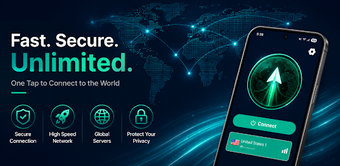
Experience straightforward mobile privacy with AeroPeakVPN, developed by SDP Guide to mask IP addresses and encrypt traffic on Android devices. The app connects with a single tap, routes traffic through a global server network, and offers auto-selection for low-latency nodes plus dedicated video-optimized endpoints to support streaming. It displays live upload and download speeds in the notification bar and uses encrypted tunnels while offering manual node selection and session extensions. Designed for Android users who want simple privacy and secure public Wi-Fi browsing.
What does the app do for mobile privacy?
The app establishes a VPN tunnel that hides the device IP and encrypts traffic for all apps. Core functions include:
- One-tap connection to start the VPN
- Manual node selection and an auto-selection algorithm to pick faster servers
- Dedicated nodes claimed to be optimised for video streaming
This combination addresses IP masking, encrypted browsing, and selective routing for media playback.
Does it slow down your device during a connection?
The app uses a foreground service to keep the tunnel active and to show real-time upload and download speeds in Android's notification area. SDP Guide describes an "Aero" design for low resource consumption, and the auto-selection feature reduces time spent switching nodes. These elements indicate the app is built to maintain persistent connectivity without frequent manual server changes, though exact CPU or battery usage numbers are not published.
Is the app safe to use on public networks?
Security is a primary function: the app creates an encrypted tunnel for internet traffic, which helps protect data from network snooping and masks the IP address from websites. It requires standard Android permissions for Internet access, Network State, and Foreground Services to operate the VPN tunnel and display connection statistics. The developer's model does not note an additional backup or rollback mechanism for connection settings.
Do I need technical knowledge to operate the app correctly?
The interface targets minimal setup: a single connect button and an auto-selection mode let non-technical users secure their connection quickly. In addition, manual node selection and visible speed metrics give more control to experienced users. Session extension uses rewarded content, which provides extended time without account setup but requires user interaction to continue sessions during prolonged use.
The app is suitable for casual users but limits advanced configuration
The app is a practical option for Android users who prioritise accessible privacy and on-the-go protection. It favours minimal configuration over granular controls, so power users seeking deep tunnelling options or advanced protocol settings may find it restrictive. For everyday browsing and public-network protection the app performs reliably, though those needing extensive customization should consider tools with more advanced configuration interfaces.